Shopify size charts,
$4.99 a month.
The right chart on every product, and “Find my size” for shoppers who don’t know theirs. Unlimited charts, no fees on your orders, and your charts come with you from the app you use today.
- 5size charts free, for good
- $0fees on your orders, on every plan
- 39ready-made templates
- 22languages for your shoppers
- Ruban Size Pro $4.99 a month
- BF Size Chart $11.99 a month
- MP Size Chart $12.95 a month
- Kiwi Size Chart $26.99 + fees on orders
Bring your charts from
- Kiwi Size Chart
- MP Size Chart
- BF Size Chart
- ESC Size Charts
- a spreadsheet
- a pasted table
- a PDF or a photo
Size charts are harder on Shopify than they look.
Shopify has no size chart field. A chart pasted as an image can’t be read on a phone or switched to inches, and keeping the right one on hundreds of products is a job in itself. Shoppers who don’t know their measurements guess, order two sizes and send one back.
Why Ruban Size, and not another size chart app
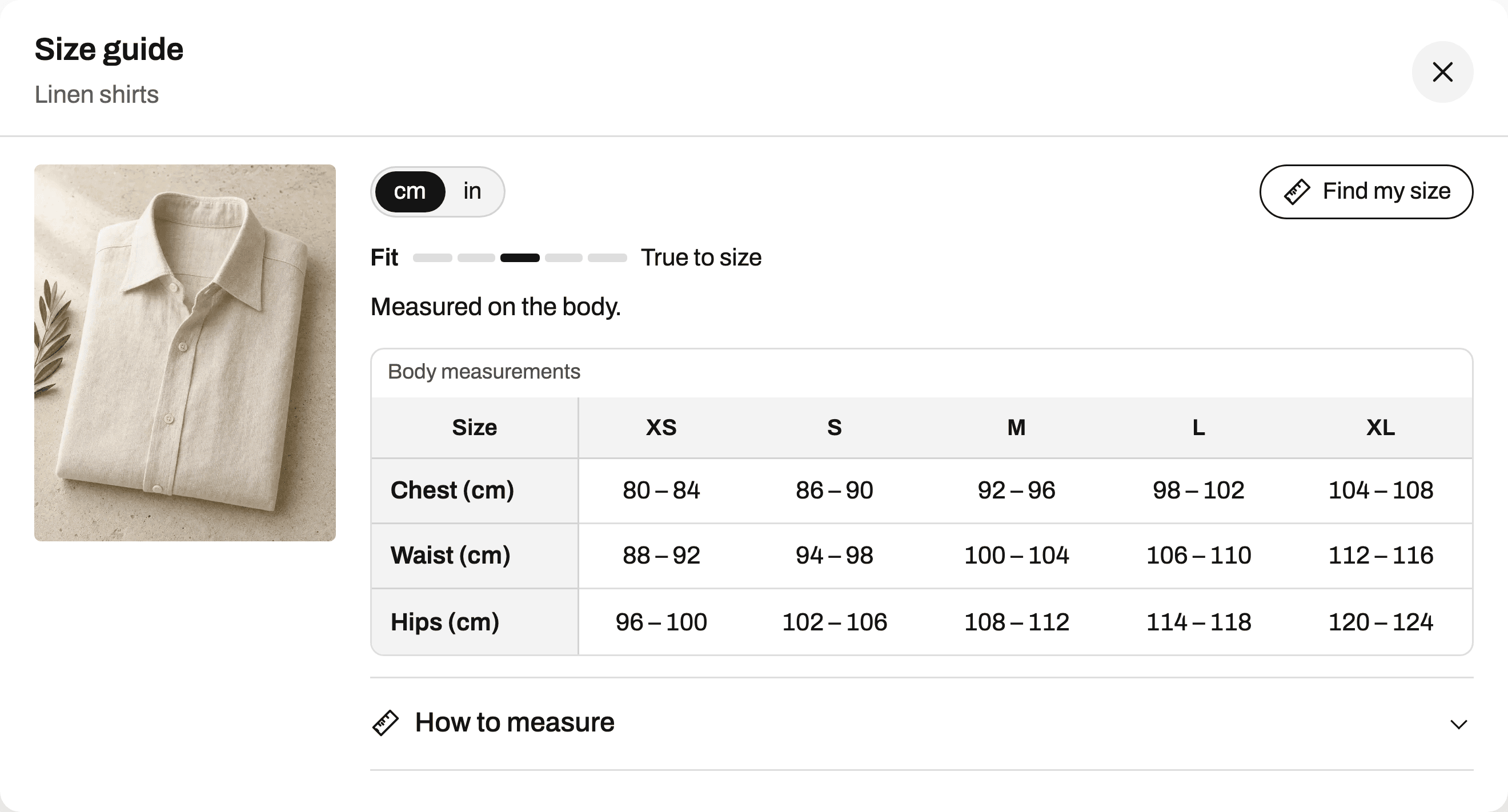
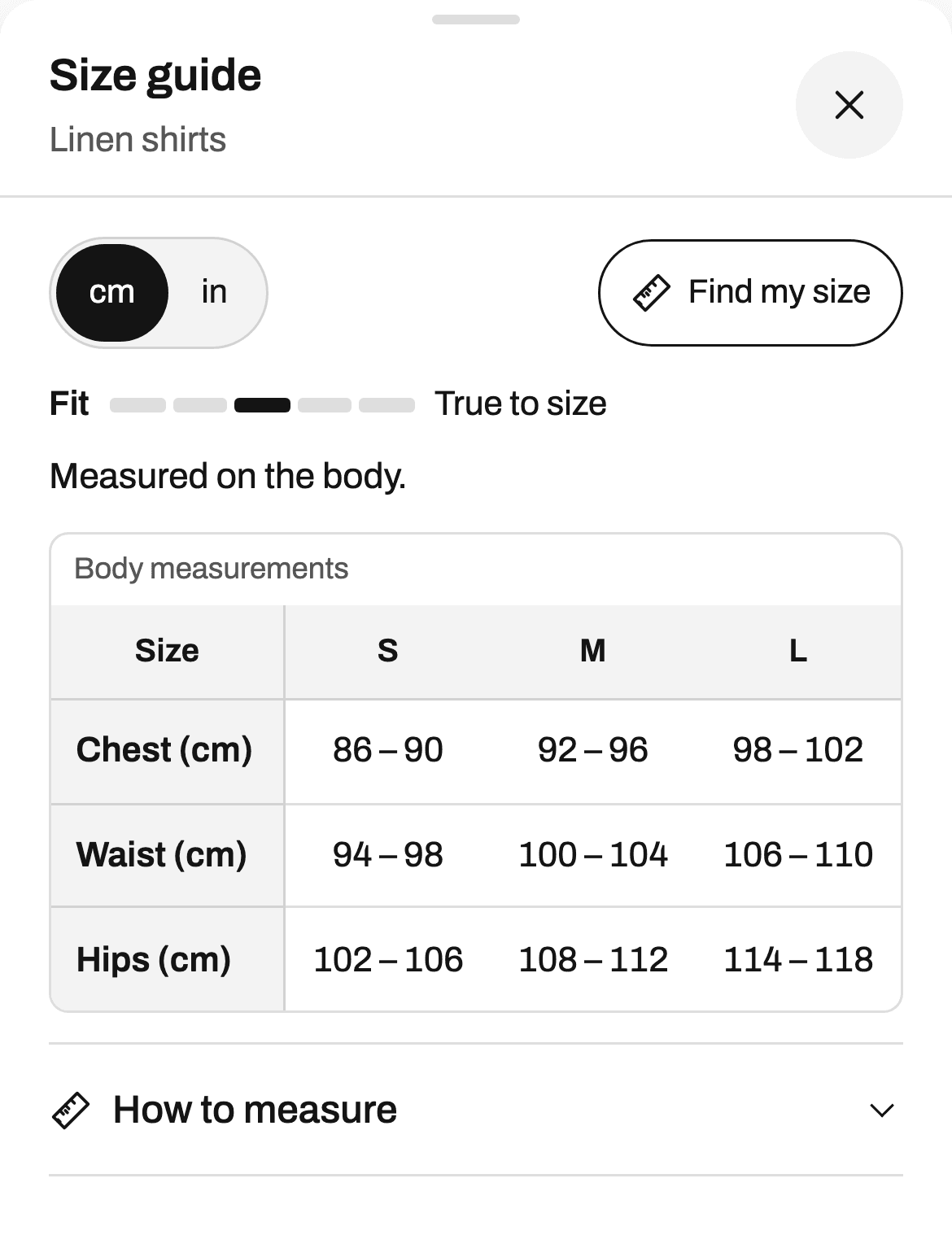
One price, however much you sell
Unlimited charts for $4.99 a month. No usage charges that grow with your orders, on any plan.
Find my size, on every plan
Shoppers enter their measurements and get a size, with the reason. Elsewhere it usually starts at $14.99 a month.
Your charts live in your store
Shopify shows them from your theme, with nothing loaded from our servers. If we go down, your size guides don’t.
Leave whenever you like
Import from your current app in one click, and export every chart to a file, any time, on every plan.
What Ruban Size does
Eight things, each with a page of its own. The screens are the app as it is today.
Size charts
Paste from a spreadsheet or start from 39 templates. Units, size systems, how to measure guides, tabs and images.
More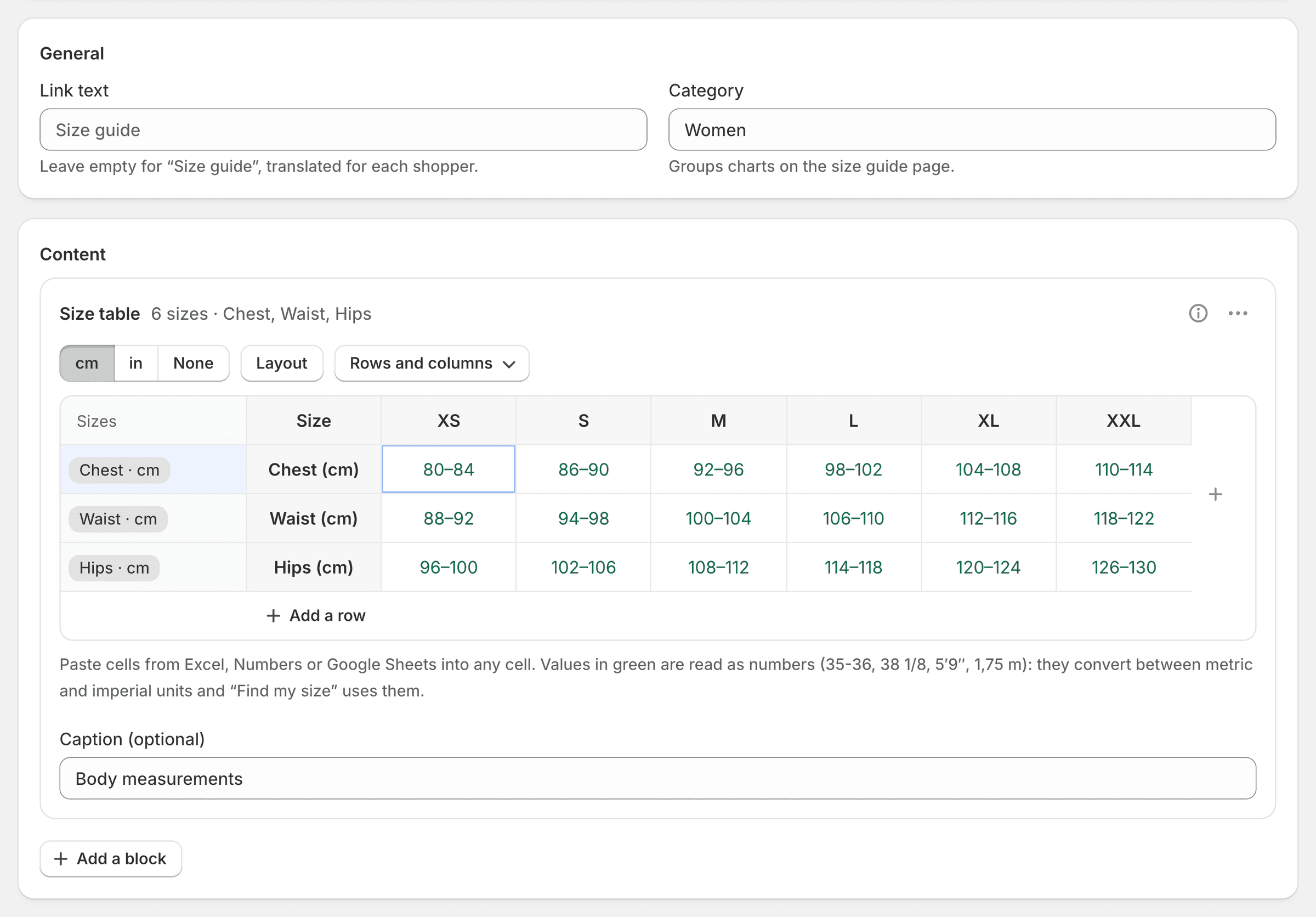
Find my size
Shoppers enter their measurements and get one size, with the reason and how sure it is. On every plan.
More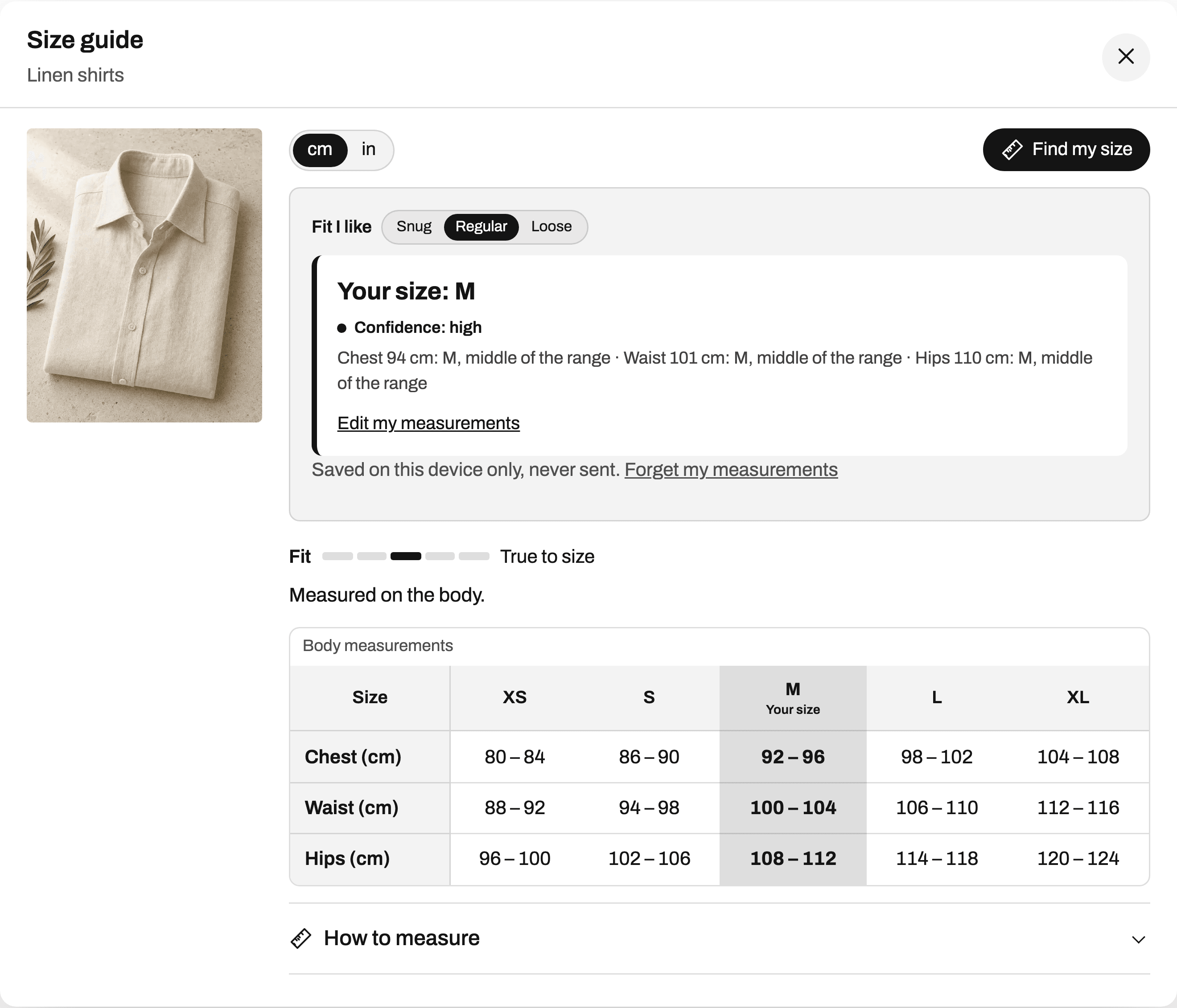
Fit by product type
Rings by diameter, shoes by length and width, bras by band and cup, dogs by breed. No formulas to write.
More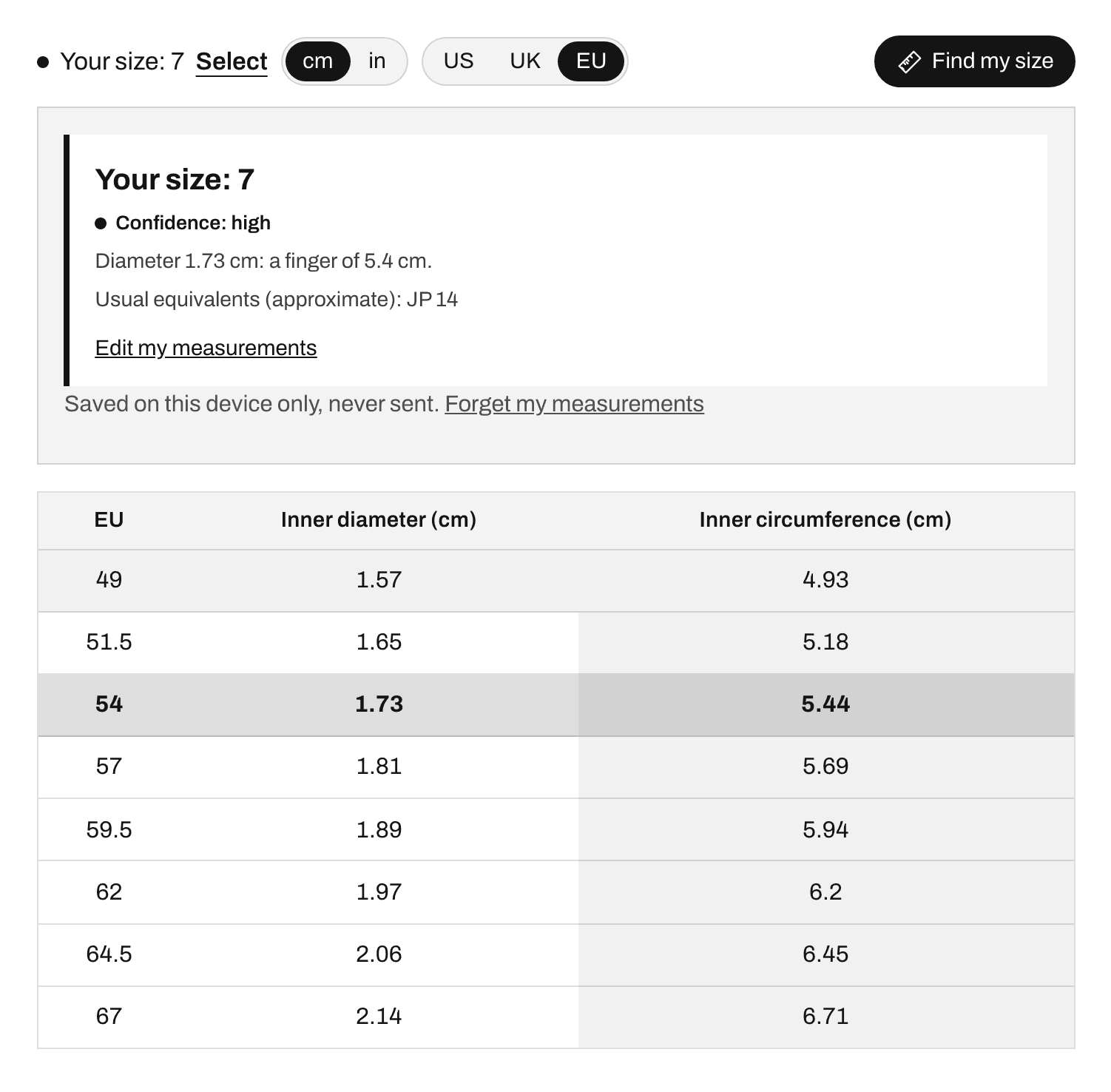
Product rules
Show each chart by tag, type, vendor, collection, title, SKU or country. See the products before you save.
More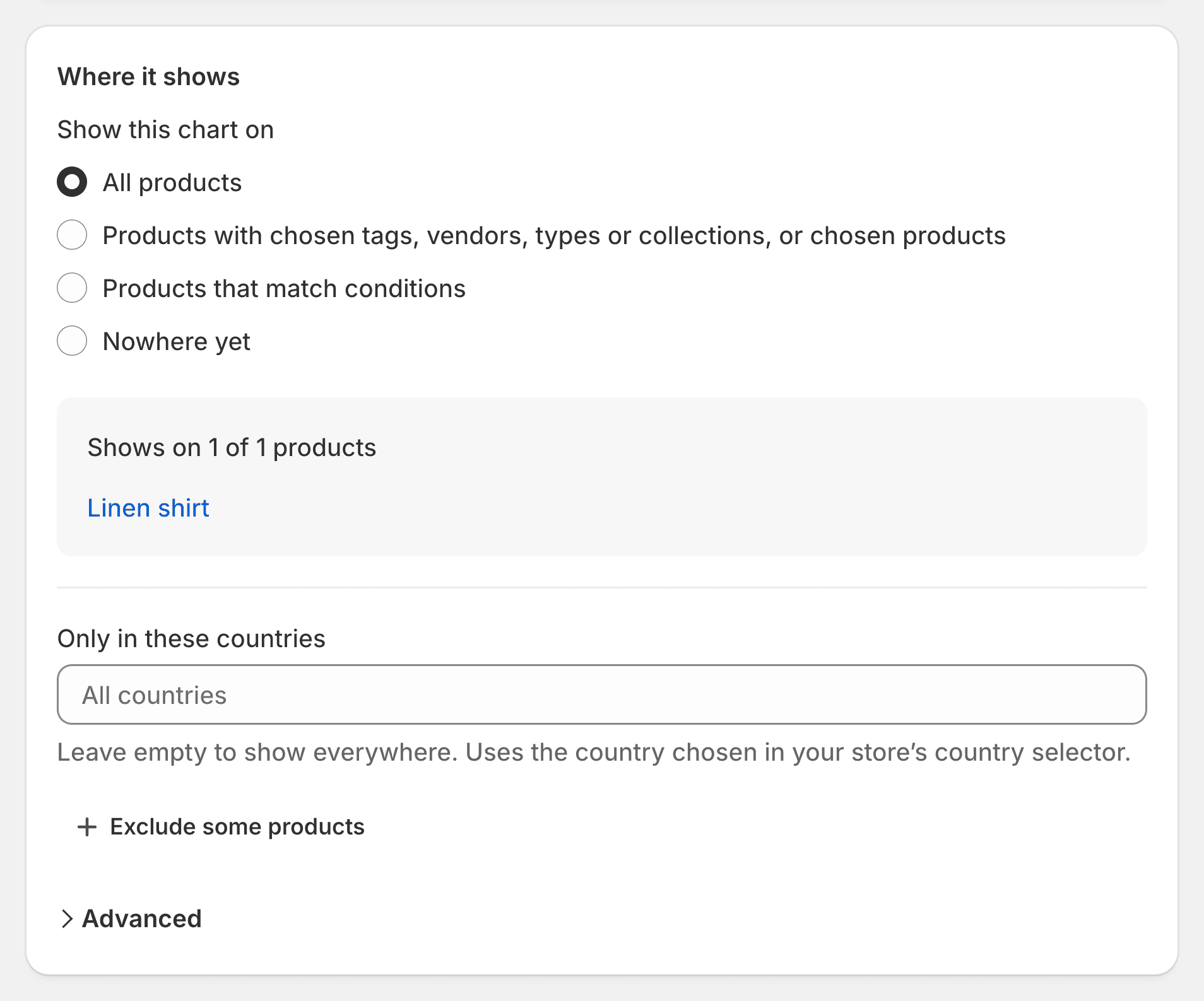
Design and layouts
Popup, side drawer, inline or accordion. 105 settings, 40 icons and a live preview that runs the real guide.
More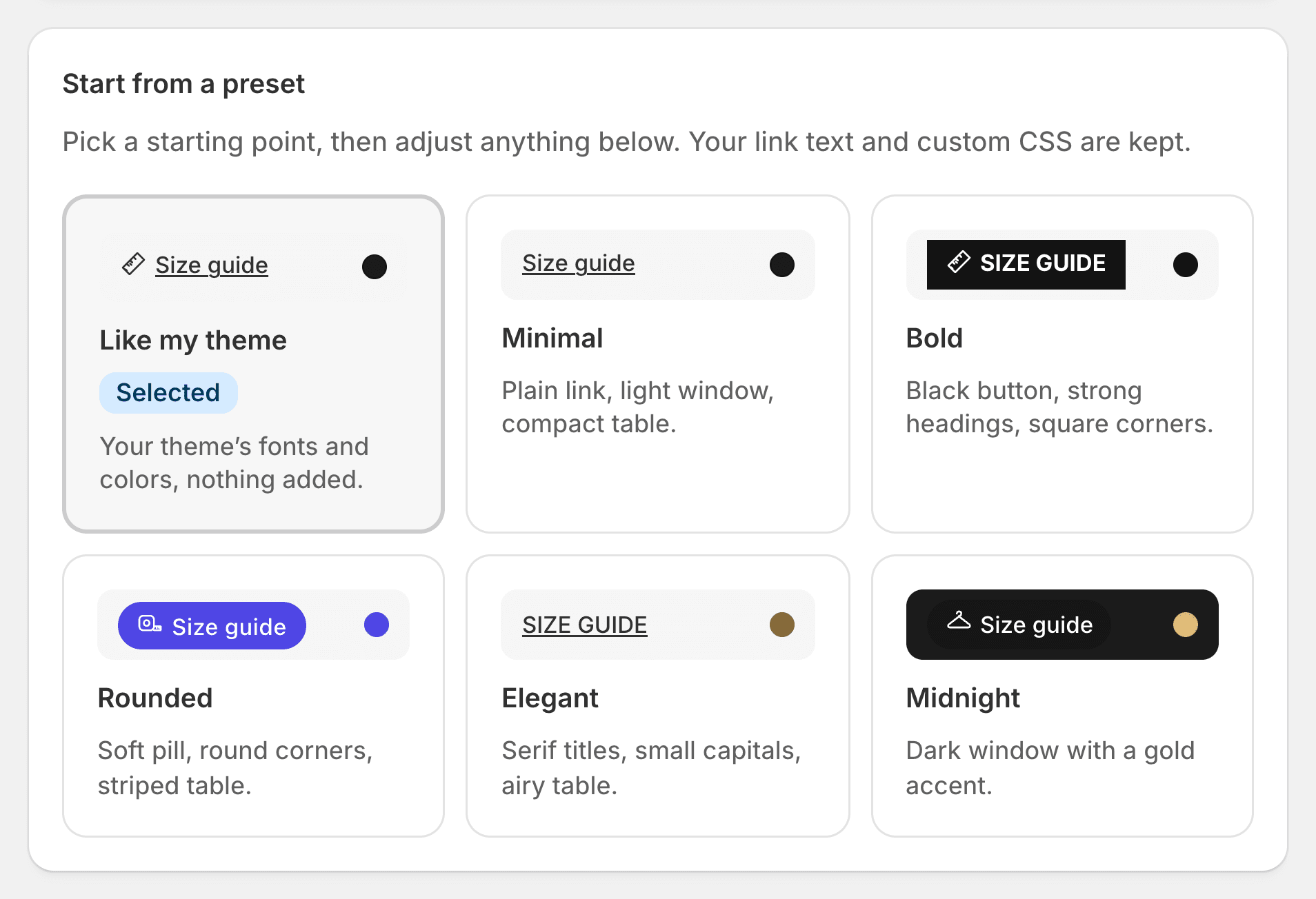
Translations
The size guide speaks 22 languages. Your charts are translated in the app, field by field.
More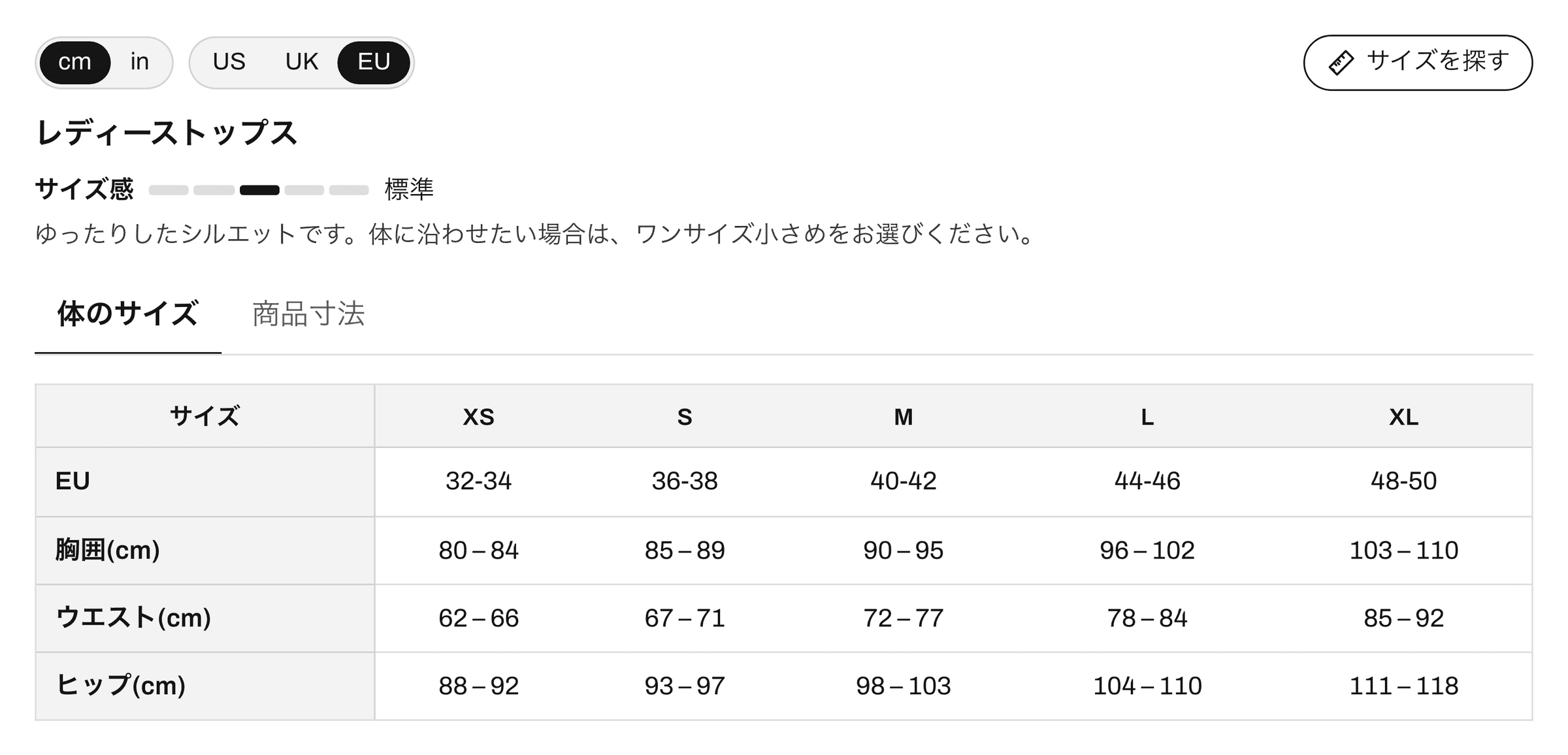
Analytics and returns
Guide opens, sizes found, add to cart after an open, and the sizes that come back too small or too big.
More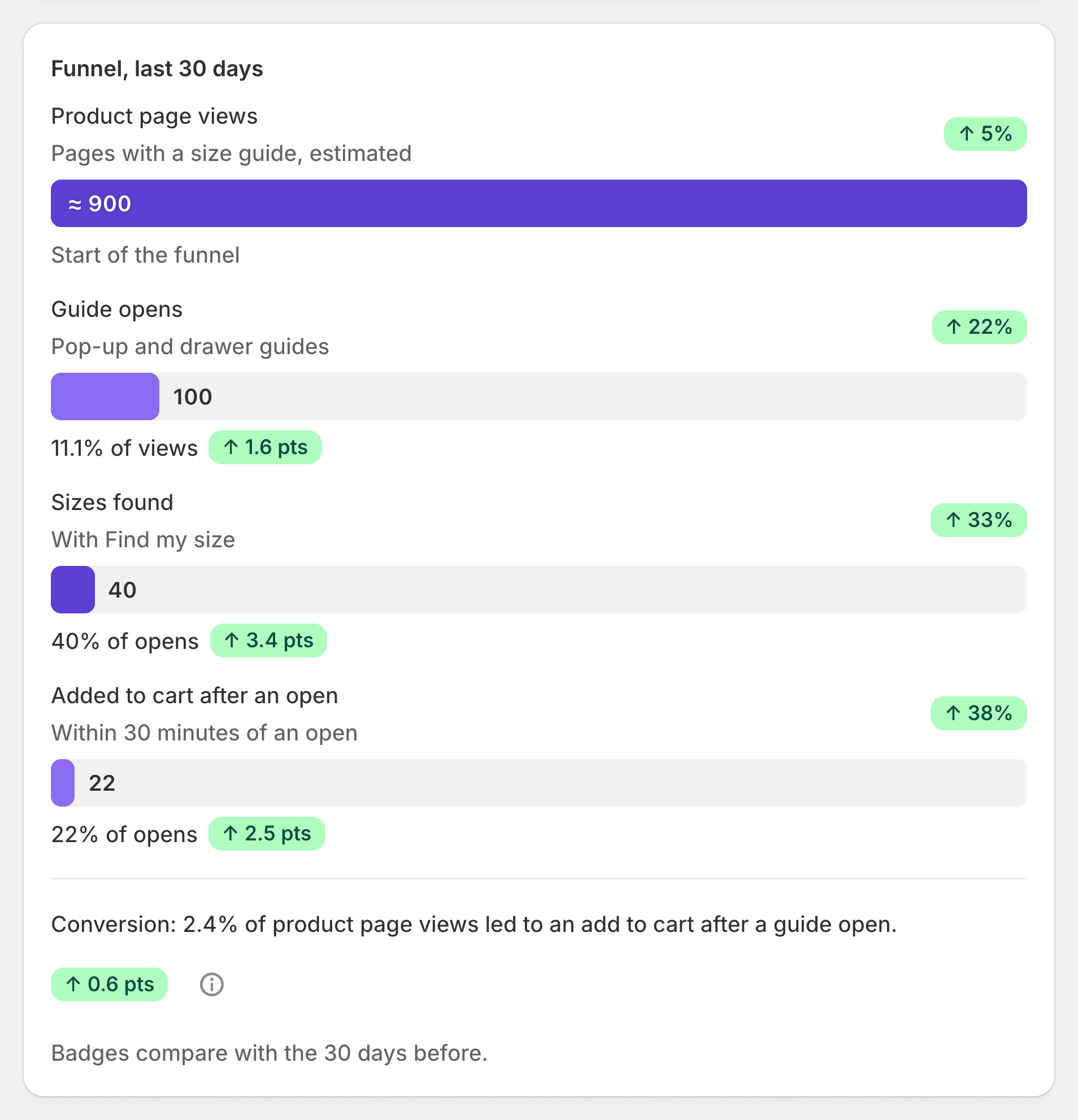
Import and export
Bring your charts from Kiwi, MP, BF, ESC, a spreadsheet or a photo. Take them all with you, any time.
More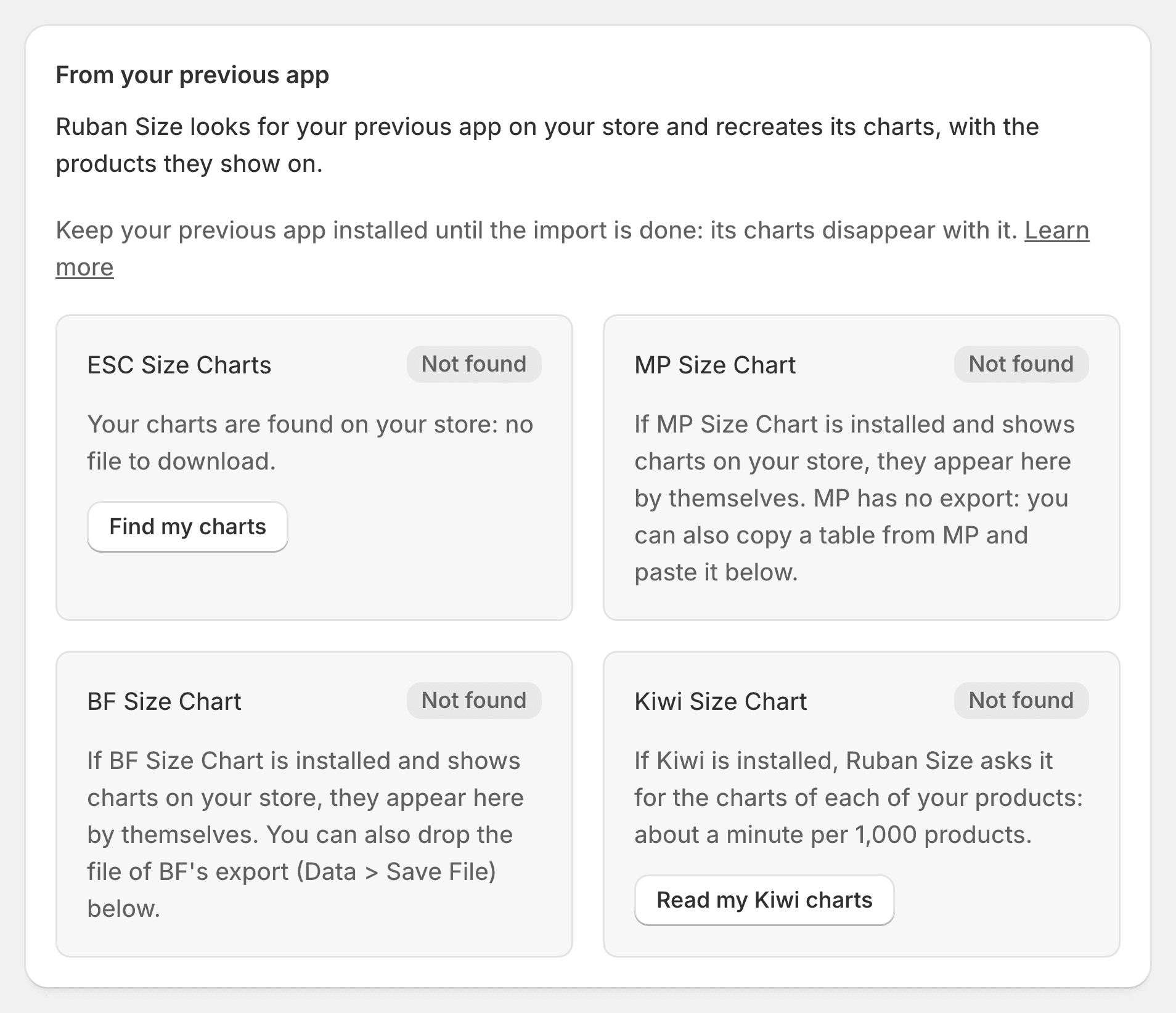
Add a size chart to Shopify in three steps
Install and turn it on
One click turns the size guide on in your theme. It places itself next to the size option.
Start from a template, or import
Pick one of 39 templates, paste a table, or bring your charts from the app you use today.
Choose where it shows
All products, or by tag, type, vendor, collection or title. Save, and it’s live.
Tested before you install
Four numbers from the test benches the app runs on every release.
- 94.5%of 40,000 simulated shoppers got their size or the next one from Find my size, 65.8% exactly. A plain lookup in the chart: 72.1% and 49.2%.Body measurements drawn from published surveys (NHANES 2015 to 2018, ANSUR II).
- 25 / 26of the themes most used by stores with size charts place the guide next to the size option by themselves.
- 22languages for shoppers, Arabic right to left included. The app itself speaks 21.
- < 10 KBof script opens the size guide. The chart itself is written into the page by your theme.
No fees on orders. Ever.
Free
$0 for good
5 size charts, every rule, Find my size
Pro
$4.99 a month
Unlimited charts, every layout, imports, statistics
Fit
$9.99 a month
Returns by size, the height and weight estimate, full statistics

14-day free trial on Pro and Fit. Billed by Shopify, cancel any time. One price, for life.
Compare the plansQuestions merchants ask
How do I stop customers from ordering two sizes and sending one back?
Give them a way to know their size before they buy. Ruban Size puts the chart next to the size option, in centimeters or inches, and Find my size turns their measurements into one size, with the reason. That size then shows on every product they open.
Why do shoppers leave my product page at the size selector?
Often because the chart is missing, is an image they can’t read on a phone, or is in units they don’t use. The coverage report lists every product that has a size option and no chart, with a one-click fix.
How do I help customers who don’t know their ring size?
The ring template asks for the circumference of a finger or the inner diameter of a ring they already own, and explains the paper strip method. It answers in US, UK, EU and Japanese sizes.
Can I keep the charts I made in Kiwi, MP, BF or ESC?
Yes. Ruban Size finds your current app on your store and imports its charts with the products they show on, in one click (Pro and Fit). It shows its guide where the old link was, so nothing moves in your theme. Or send us your charts and we move them for you, for free.
Will it slow down my store?
No request goes to our servers when a product page opens: your theme writes the chart into the page, and the script that opens it weighs under 10 KB. Find my size loads only when a shopper asks for it.
Does it work with my theme?
Yes, with an app block on every Online Store 2.0 theme and an app embed on older ones. On 25 of the 26 themes most used by stores with size charts, the guide places itself next to the size option. If it isn’t where you want it, we place it for you, for free.
Do I pay more when I sell more?
No. Ruban Size has no usage charges: Pro is $4.99 a month and Fit $9.99, whether you take ten orders a month or a hundred thousand.
What happens to my charts if I uninstall?
They are saved in your own store, as Shopify data, and stay there. You can also export them at any time, as a full backup on every plan or as a spreadsheet on Pro and Fit, and import them back later.